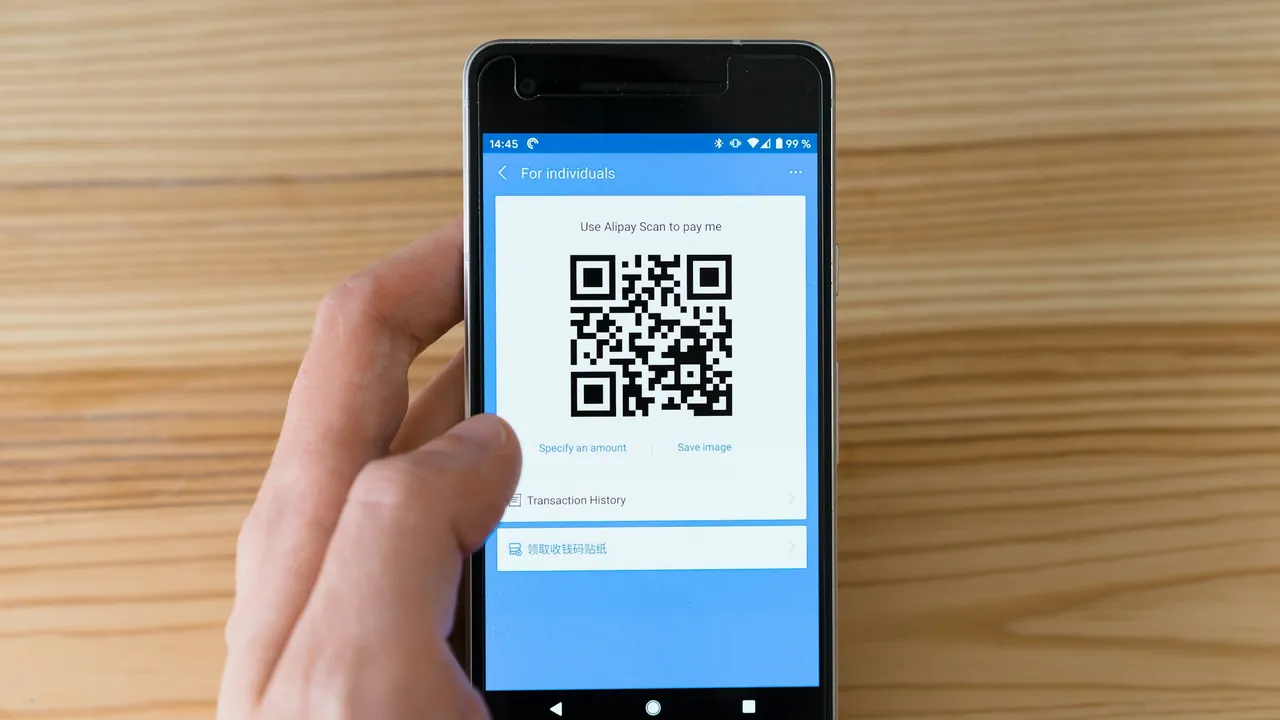
You do not need a QR code generator to make a Google review QR code. Google Business Profile already builds one for you, free, pointed straight at the star-rating box instead of your general profile page. The part that actually decides whether it works has nothing to do with the code itself: it is whether you put it somewhere a customer already has a phone in their hand, at the moment the job just went well. A code taped to a wall nobody looks at scans zero times a month. The same code printed on an invoice line item scans on a meaningful share of jobs.
What a Google review QR code actually is
A QR code is just a picture that encodes a URL. When a phone camera reads it, it opens that URL, the same as if the customer had typed it in. For a review QR code, the URL that matters is the one that opens Google’s write-a-review box directly, with the star rating already on screen. That is different from a QR code that just opens your Google Business Profile page and makes the customer hunt for the reviews tab and then a button. The extra tap is where a chunk of willing customers quietly give up.
How to make one, in three steps
Get the direct link, not the profile link
Inside Google Business Profile management, the “get more reviews” option generates a short link that opens the star-rating box directly, plus a QR code built from that same link, ready to download as an image. If you handle GBP management yourself, this is the fastest route: no third-party site, no account to make, no fee. If somebody else manages your profile, ask them for this link by name rather than a generic “link to our Google page.”
Skip the subscription QR generators
Dozens of free QR generator sites will happily turn any URL into a code, and that is fine for a one-off. What is not fine is the “dynamic” QR codes several of those same sites upsell, which route through their own server before redirecting to Google and stop working the day you cancel a plan you forgot you were on. A Google review link almost never changes once your profile is set up, so a plain static code, generated once and reused everywhere, is the safer choice for a Collingwood plumber or Wasaga Beach landscaper who does not want to think about it again.
Test it before it goes near a customer
Print the code at the size you plan to use, then scan it with a phone camera from arm’s length, the way a customer actually would, not from six inches away at your desk. A code smaller than about 2 cm square starts failing at arm’s length on an invoice, and a code printed in a light grey ink on white paper fails even up close. High contrast, black on white or white on a solid dark background, at a minimum of 2.5 cm on printed paper.
Where to actually put it
This is the part that decides whether the code earns its space. The rule is simple: the customer needs a phone already out, a free hand, and a moment where nothing else is competing for their attention. Three placements meet that bar for a Georgian Bay service business, and three common ones do not.
The invoice or the final paperwork
An HVAC technician handing over a paper invoice at the end of a furnace repair has a customer standing with a pen or a phone already out to e-transfer payment. A QR code printed as its own line, with the words “Enjoyed the work? Scan for a 30-second Google review” next to it, catches that exact moment. The same applies to an emailed PDF invoice: the code still works from a screen, and a customer who pays online is already holding the device that will scan it.
The counter, not the wall
A plumber’s storefront counter or a landscaper’s yard-sale trailer counter, right where a customer signs for parts or pays cash, works because the customer is standing still with nothing else to do for ten seconds. A code on the wall behind the counter, at eye level but out of reach, gets looked at and forgotten. Put it flat on the counter surface, in a small stand or taped down, exactly where a receipt or a card machine already sits.
The truck decal, for the customer who never sees paper
An electrician or roofer whose customer never receives anything printed, because the job was quoted and closed over text, can put the code on the tailgate or the side panel, visible while the crew packs up. It will scan less often than an invoice line, because it depends on a customer who happens to be looking at the truck with their phone out, but for a business with zero other paper touchpoint it beats having no physical option at all.
What does not work
A code on a fridge magnet handed out at the start of a job gets thrown in a drawer before the work is even finished. A code on the back of a business card competes with every other card in that customer’s wallet. A code buried in the footer of a website nobody scans, because nobody scans a QR code on the device they are already looking at it on.
The QR code’s real weakness
A QR code is a passive ask. It waits for the customer to notice it, want a phone out, open the camera app, scan, wait for the page to load, and then leave a review, all while distracted by everything else happening at the end of a job. Compare that to the one-tap text link that reaches a customer automatically within 30 minutes of a job closing, which removes every one of those steps except the last tap. We have not benchmarked QR-only conversion against the texted link the same rigorous way, but the shape of it is obvious from watching both run side by side on a client’s profile: fewer steps between “job well done” and “review submitted” always wins.
That does not make the QR code useless. It is free, it works without a phone number on file, and it catches the customer standing right in front of you, which a text sent later cannot always do. Run both. The code catches the in-person moment; the text catches the customer who paid without ever seeing a printed invoice. That combination, plus Review Engine’s Google review management running the text side automatically so nobody has to remember to send it, is what actually moves a review count month over month rather than in one-off bursts whenever somebody remembers to mention it.
How to tell if it is working
Screenshot your Google review count on the first of the month, print the code, place it, and check the count again 30 days later against a Collingwood competitor in the same trade. If the count barely moves, the placement is the problem before the code is: move it to wherever the customer’s hands are already full of something related to the job, not somewhere convenient to you.
A QR code on an invoice is one line item in a much larger picture. If your Map Pack position has not moved in months, the review side is usually only one of several gaps; the Collingwood local SEO playbook covers the GBP categories, citations, and service-area setup that a review count alone cannot fix.
Frequently asked questions
Does a Google review QR code expire?
No. As long as your Business Profile stays active and you have not changed which profile you manage, the underlying link does not expire and the code keeps working indefinitely. Reprint only if the paper itself wears out.
Can I reuse the same QR code across a truck, an invoice, and a counter card?
Yes. It is the same underlying link every time, so one code works everywhere. There is no reason to generate a separate code per location or per crew member.
Do I need to pay for a QR code generator?
No. Google Business Profile’s own “get more reviews” tool builds a free QR code pointed at the correct star-rating page. A paid generator only adds value if you want a custom colour or logo baked into the code, which is a design preference, not a functional requirement.
Is a QR code enough on its own, or do I still need to ask out loud?
Both work better together. A code with no verbal mention gets ignored the way a poster gets ignored. Saying “there’s a QR code on your invoice if you have thirty seconds” while handing it over is what actually gets a customer to pull out their phone in the moment, rather than losing the invoice in a glovebox by the time they think of it again.
Will Google penalize a QR code asking for reviews?
No, as long as every customer gets the same code and nothing is offered in exchange for leaving one. Asking everybody, at the same moment, with the same link is the compliant version of the ask; a QR code that goes on every invoice regardless of how the job went is exactly that. Offering a discount for scanning it is what crosses into the incentivized-review territory Google’s policy prohibits.
Want this run against your own business?
Free 15-minute audit. We pull up Google together and show you exactly where you rank, where you could be in 60 to 90 days, and the cheapest moves to get there.
Prefer to talk? (705) 539-0398